WEEK TWO
Manual journals die quietly
Logging entries, exits, partials and commissions by hand after every session is the chore everyone abandons. The spreadsheet doesn't fail loudly — it just stops getting opened.
MT5 Trading Journal · Zero Manual Entry
Chart Reporter captures every MT5 trade at the terminal — entries, exits, partials, commissions, the lot — and turns them into a dashboard you’ll actually open. No manual entry. No broker credentials. Nothing to remember after the close.
7-day trial of all features · Free basic features forever · 3-day history
The Problem
Logging entries, exits, partials and commissions by hand after every session is the chore everyone abandons. The spreadsheet doesn't fail loudly — it just stops getting opened.
A folder of chart captures can't tell you what your stop was, how price moved after you exited, or whether that setup keeps paying. Evidence without analysis isn't a journal.
Without a clean record you're trading on feel and memory — and memory is the least reliable instrument on your desk.
It’s not a discipline problem. It’s a tooling problem — journaling shouldn’t be a second job after the close.
The Plan
Drop the Chart Reporter Expert Advisor onto a chart in your MT5 terminal. Two minutes. No broker credentials, no investor passwords — data is pushed from your terminal, never pulled from your broker.
Every trade is captured at the source as it happens — entries, exits, partial closes, scale-outs, commissions, swap, stop and target levels, even the surrounding price action.
Your dashboard is already written: session analytics, strategy breakdowns, risk metrics and a candle-by-candle replay of every trade. Review when you want — it's all there.
New · Trade Replay
Your EA ships the broker’s own candles alongside every trade — before the entry, during the hold, and after the exit. Chart Reporter rebuilds the whole scene: risk zones shaded the way you drew them, R-multiple gridlines from your actual initial stop, entry and exit marked on the tape.
Try it — drag the scrubber. This is the same renderer the app uses.
Replay Your Own TradesDrag to replay — every closed trade gets this view, built from broker candles your EA ships automatically.
The Instrument Panel
Every derived metric shows its formula and its sample size. No black boxes, no vanity numbers — just an honest readout of how you trade.
A composite score built from profit factor, win rate, drawdown, recovery and consistency — with the full formula shown on the widget.
Replay any closed trade with risk zones, R-multiple gridlines and the price action before, during and after — built from your broker's own candles.
Flags rapid re-entries after losses and scores behavioural consistency, so the patterns you'd rather not see don't stay invisible.
Current and maximum drawdown, days to recover, and recovery factor — the numbers that describe how your account actually breathes.
The classic system-quality numbers with quality bands and sample-size guards, so a hot week never masquerades as a system.
Performance split by session and timezone-aligned to your broker's clock, down to the tick.
No Mockups Required
Marketplace tools
Chart-native tools for planning manual trades and keeping important daily reference levels in view.
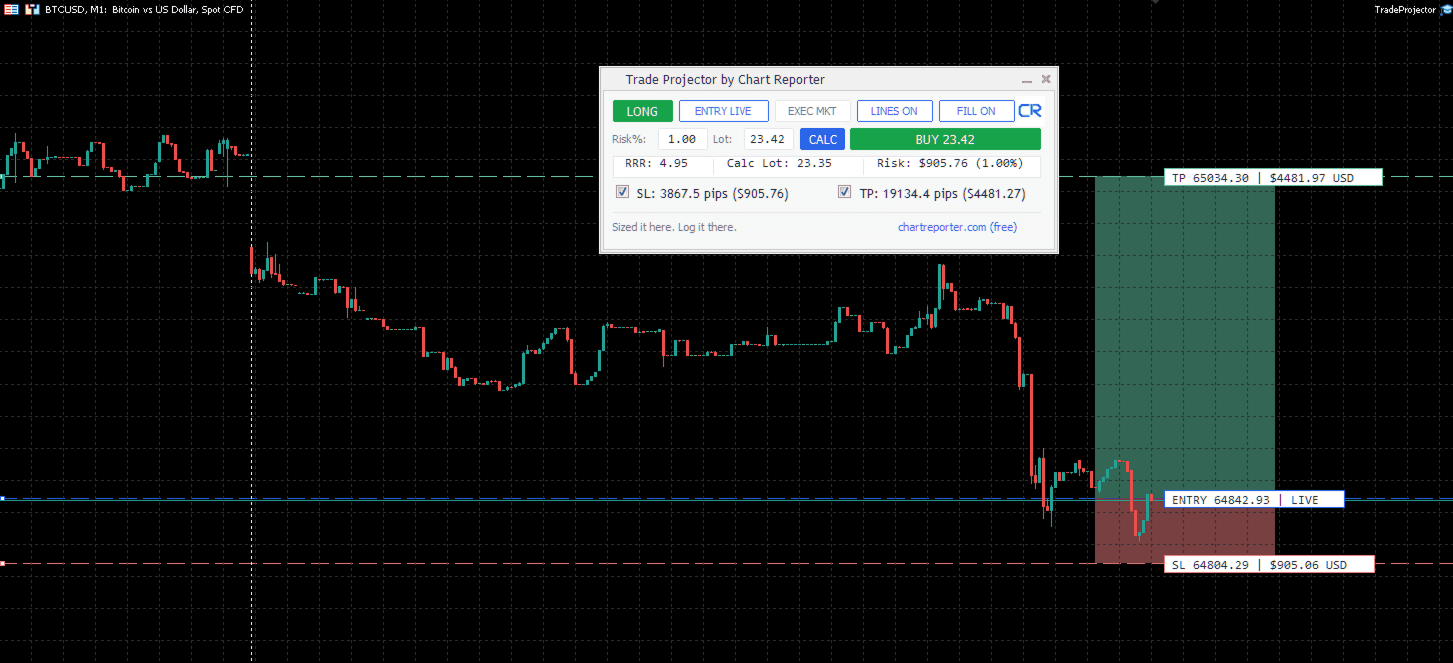
Manual trade planning
Plan entry, stop, target, risk, and lot size directly on an MT5 chart before placing an order.
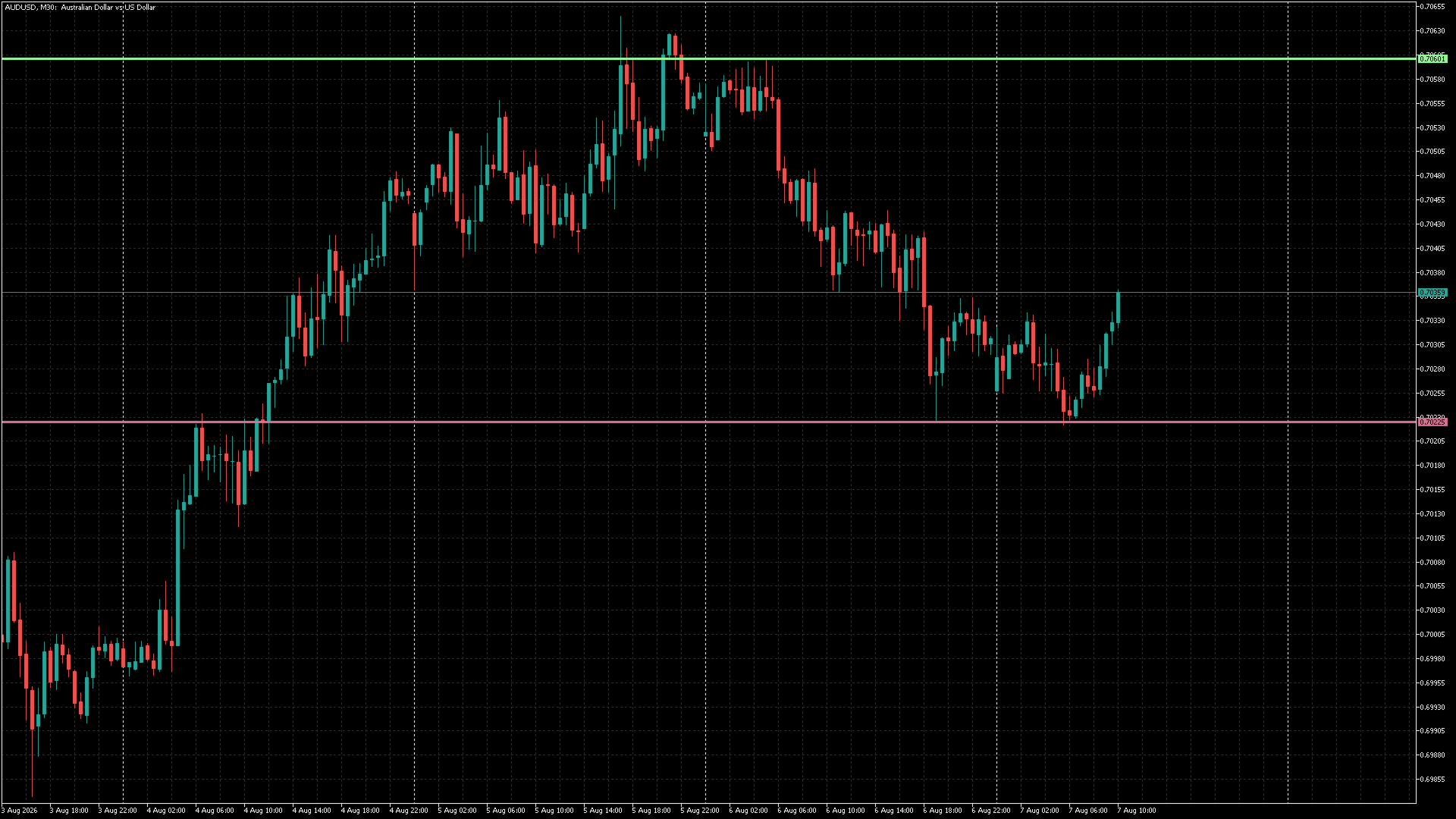
Previous-day reference levels
Show your broker's previous completed daily high and low directly on the active MT5 chart.
Built Backwards, On Purpose
Chart Reporter never asks for broker credentials, investor passwords or third-party API access. A lightweight Expert Advisor runs inside your own MT5 terminal and pushes your trade data out to your private dashboard.
“Data is pushed from your terminal. Never pulled from your broker. No investor passwords. No third-party access. Period.”
Pricing
Try all features free for 7 days. Then keep automated trade capture, the core dashboard and stats, and 3 days of rolling history free forever. No credit card required.
Everything you need to stop journaling by hand.
The full instrument panel for active traders.
7-day free trial — no credit card
Unlimited history and agentic integration.
For traders who keep everything.
Questions Traders Ask
Chart Reporter is built around a simple boundary: your terminal can report your trades without giving anyone authority over your broker account.
Chart Reporter MCP provides authenticated, read-only access to persistent trade and analytics data. It complements MT5 native MCP, which works at the terminal level.
Compare the two MCP layers →No. Chart Reporter uses a lightweight MT5 Expert Advisor that pushes journal data from your terminal to your dashboard. You never share broker credentials, investor passwords, or broker API keys.
How MT5 trade sync works →The EA runs inside your MetaTrader 5 terminal and records the trade facts your terminal already knows: entries, exits, partial closes, commissions, swap, stops, targets, and strategy context.
Read the sync guide →Create your account, download the EA, add it to MT5, attach it to a chart, and allow it to send journal data to Chart Reporter. The setup is designed to take a few minutes.
Install the EA →Chart Reporter works at the terminal level rather than through broker-specific integrations, so it is designed for MT5 accounts without needing a separate broker API connection.
Why no broker API is needed →Yes. Chart Reporter records MT5 magic numbers so automated strategies can be grouped, named, and reviewed without manually tagging every trade.
See strategy analytics →Every new account starts with a 7-day free trial of all features. After the trial, the Trader plan stays free forever with automated MT5 trade capture, a 3-day rolling history, and the core dashboard and stats. No credit card required.
View pricing →Two minutes to attach the EA. Free forever on the Trader tier. The journal starts writing itself from your very next close.
Start Free — No Card, No CredentialsTrading involves risk. Chart Reporter is a journaling & analytics tool — not investment advice.